
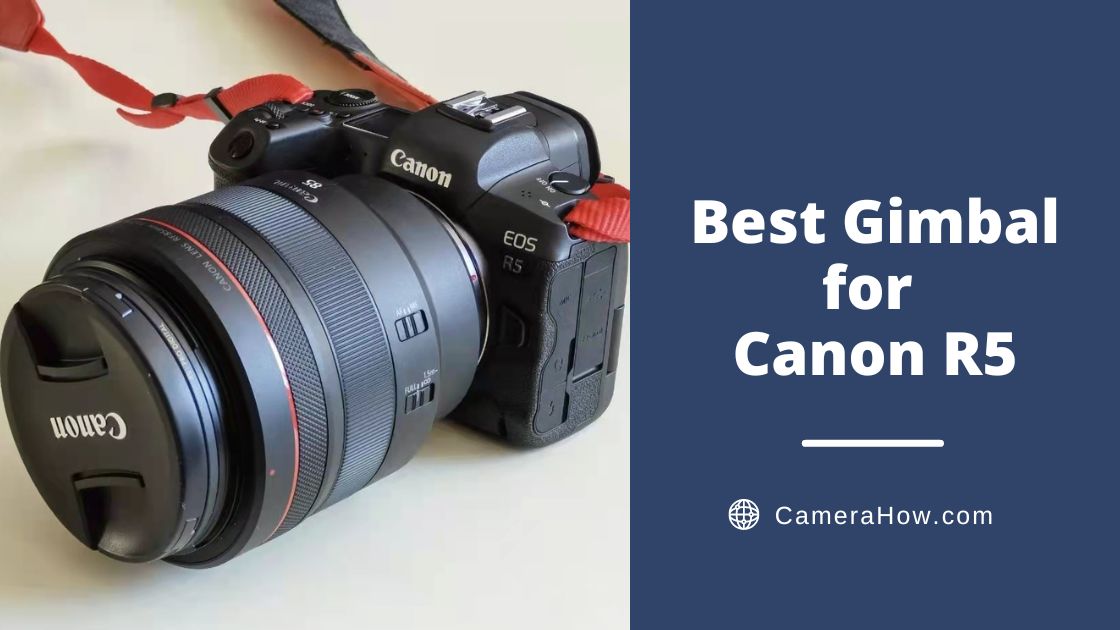
Canon EOS R5 is a mirrorless micro-single digital camera released by Canon in July 2020. With its powerful features, the R5 has quickly become popular. This camera has performed very well with both professional photographers and beginners.
If battery performance matters for your shoots, see our guide to Canon R5 battery life.
The Canon EOS R5 comes with a 45-megapixel full-frame sensor. That makes it an excellent companion for many video makers and vloggers. Whether you’re shooting still or moving scenes, the R5 can get the job done.
However, a good camera is not enough to make a good video. A powerful gimbal is also a necessity.
So, in this article, I will identify the different gimbals and share some of my experiences in choosing the best gimbal for Canon R5.
To sum up, I would recommend the DJI RS3 Pro as the most suitable gimbal for the Canon EOS R5. It is very versatile and practical. This gimbal is the best choice for various shooting environments. It is ideal for professional photographers and teams.
DJI RS2 is another option for Canon EOS R5. The powerful load capacity allows it to support a variety of cameras and lenses. The strong structure can meet the shooting work under demanding conditions.
Now let’s look down to the DJI RS 3, which is equally excellent. This gimbal is what I am recently using, which has given me great experience. This gimbal is suitable for individual video makers and small teams for commercial creation.
Even by today’s standards, the DJI RSC2 is a very good gimbal. It also works well with the Canon EOS R5 and is very price friendly.
If you’re tired of carrying a lot of gear for shooting, do choose the Zhiyun Weebill 3. Zhiyun seems to be trying to simplify the gimbal and improve the user experience. This gimbal comes with a built-in fill light and microphone, making it more suitable for solo outdoor photography.
What Is a Gimbal?
A gimbal is a tool used to balance and stabilize a camera.
It eliminates the shake that occurs during shooting. These shakes usually come from walking or other movements.
Best Gimbal for Canon R5


The DJI RS 3 Pro is an excellent gimbal that works well with the Canon EOS R5. If the RS 2 was DJI’s foray into professional video, the RS 3 Pro is the mature form of a professional handheld gimbal.
This gimbal allows solo photographers to shoot stable and excellent footage. It will optimize the single-player operating experience. It can also help professional photography teams create master-class movies or commercial videos.
Weight&Load
The RS 3 Pro’s load weight is 4.5 kg. It has a longer cross-roll axis and arms. That means I have more space to mount larger cameras and lenses. With the added extended quick-release plate, the RS 3 Pro can carry the Canon EOS R5 with longer lenses. And you don’t have to worry about the camera or lens colliding with the axis.
Automated Axis Locks
During shooting, we often need multiple transitions. When using other gimbals, I need to turn the power off and lock the axis locks one by one. When I reach another shooting position, I unlock the axis locks one by one again, which is a tedious process.
RS 3 Pro is newly designed with an auto-axis lock function, which can be triggered during power on/off and hibernation mode. In the case of leveling, you can shoot when the function is turned on and take it away when it is turned off. Auto axis lock allows the photographer to complete the axis arm deployment and storage within 2 seconds. That helps to enhance the efficiency of shooting as much as possible. It is a highly innovative design.
Bluetooth Control
In the past, the gimbal needed to control the camera through a data cord. The RS 3 Pro can be paired with the camera’s Bluetooth to enable the gimbal to control the camera’s shooting.
After turning on the camera’s Bluetooth, perform Bluetooth pairing on the gimbal. When the pairing is successful, you can control the camera’s shutter and various other functions. There is no need to pair and balance the same camera repeatedly, as the gimbal has a memory function.
LiDAR Focusing
RS 3 Pro, with the latest LiDAR technology, can achieve a more powerful intelligent following. It can take stable follow shots of people, buildings, vehicles, etc. Active tracking is perfect for shooting moving objects. It allows you to focus on positioning rather than staring at the camera, trying to pay attention to safety issues.
LiDAR Laser Ranging
LiDAR laser follow-focus technology is used on the RS 3 Pro to make handheld shooting less difficult. This function projects 43,200 range points for up to 14 meters of detection. With a built-in camera and a wide field of view of 70°, it can meet the focus requests of most scenarios.
Super Image Transmission
DJI RS 3 Pro supports a transmission distance of 6 km. It allows for ultra-long distance, ultra-low latency image, and audio transmission. You can remotely monitor the footage captured by the camera.
The DJI RS 3 Pro will be a gimbal that will continue to exude charm for some time.
Pros
- Ultra-high load capacity (4.5 kg /10 lbs)
- Automated axis locks
- Instant mode switching
- Extended carbon fiber axis arms
- LiDAR focusing
- Long-Range O3 pro video transmission
- 1.8″ full-color touchscreen
- Fine-tuning knob
- Professional grade equipment
Cons
- It takes time to learn.
- Some features require a grip.


Honestly, once I got used to the DJI RS3, it was a little difficult to return to Ronin’s second generation. RS 3 was much better than the second generation in terms of functionality and convenience. However, it is undeniable that the second-generation Ronin is still a powerful gimbal.
When I used the DJI RS2 with the Canon EOS R5 (I borrowed the gimbal from a friend I work with), I found it worked well with the camera. If I don’t look at it through the eyes of three generations, then it is good enough.
After all, there is a cost disparity between them.
I’ll state my summary. If you just want to maintain camera stability and get some assistance, then the DJI RS2 is perfectly adequate. And if you want some more convenient features, then upgrading to RS3 Pro would be a good choice.
Now let’s go back to RS2.
Weight&Load
The DJI RS 2 has a weight capacity of 3 kg, and the gimbal body weighs 1.3 kg, which is heavier than the DJI RS 3 Pro. With the EOS R6 and lenses on board, the total weight will be about 2 kg (4.5 lbs).
The body is also made of strong carbon fiber construction and is very sturdy. Its arm length is 1 cm shorter than the DJI RS 3 Pro. So when paired with a long lens, the moveable angle will be cut. However, it generally does not affect normal use.
Full-color Touchscreen
DJI RS 2 is equipped with a 1.4inch color touch screen. When using the smart follow function, you can see the screen and the target on the screen. At the same time, on the touch color screen, you can not only quickly set common parameters but also use most of the functions on the Ronin app.
Super Stabilization Mode
By further releasing the motor, the RS2 can achieve a more stable screen effect. The DJI RS 2 can adjust the motor torque to enhance the stabilization effect further. That helps keep the image stable even when shooting at the 100mm zoom length.
Focusing System
DJI RS 2 has a new front dial that allows you to adjust the focus point with a flick of your fingertips. It will enable you to control both the focus point and lens focal length while shooting, enhancing shooting efficiency. This function is also perfectly retained on DJI RS 3.
Wireless Image Transmission
Through the Eagle Eye system, DJI RS 2 not only transmits video signals but also supports remote adjustment of camera parameters. Although its effective distance is much smaller than DJI RS 3 Pro, it is also very convenient. You can monitor the camera shooting images in real-time through your cell phone. Of course, you can also use your phone to control the gimbal through physical sensing, faster response, and lower latency.
Pros
- Super high load capacity (4.5 kg /10 lbs)
- Carbon fiber structure
- 1.4inch full-color touchscreen
- Ultra-high compatibility
- Wireless picture transmission
- Professional grade equipment
Cons
- It takes time to learn.
- Some features require additional grips.


The DJI RS 3 is a great gimbal for DSLR and mirrorless cameras. In fact, it’s the gimbal I use a lot now. I use it with the R5 when shooting 4K movies, and I find that they work very well together.
I must say that this gimbal is dedicated to the flexibility and speed of solo work and is perfect for the individual photographer. It has a lightweight body and professional stabilization algorithms. And it offers very many convenient features that allow you to operate it easily. Even a single person can also be in charge of the whole field.
The DJI RS 3 is designed for a fast and convenient single-player photography experience, while the Pro tends to be more specialized.
The DJI RS 3 doesn’t have the LiDAR follow focus system or the Super transfer feature of the Pro version. It follows and enhances the DJI RSC 2’s Ronin transmission and the Smart Follow system. And it does not support slide and ropeway shooting, which were set on the Pro.
But that doesn’t mean the DJI RS3 can’t be used. It’s still a very good solo gimbal. The gimbal retains many handy features, including an automatic axis lock and a mode switch. As well as the front dial, it can adjust the camera focus and lens focal length.
Weight&Load
With an aluminum structure, the DJI RS3 has a weight capacity of 3KG. But RS 3 is a little smaller than the Pro, and its arm’s length is shorter. It also carries a double-layer release plate, but not the extended version of the Pro. Therefore, carrying a large camera or lens will be more than the Pro strain.
Charging and Runtime
DJI RS 3 has a charging time of 2.5 hours and a range of 12 hours. At the same time, the Pro can do 1.5 hours of charging time and the same 12 hours of runtime. They are both designed to be removable battery structures. You can carry two fully charged batteries at the same time and replace them at any time.
Pros
- High load-bearing capacity (3 kg / 6.6 lbs)
- Instant mode switching
- Quick release plate
- Fine-tuning knob
- Autonomous axis locks
- Full-color touch screen
- Wireless image transmitter
- Removable battery handle
- Remote control
Cons
- Some functions need to be used with APP
- Extra grip required for pot-carrying mode


As the second generation of the DJI Ronin series, DJI RSC2 lives up to the expectations. It is a gimbal specifically built for DSLR and mirrorless cameras. So it is also a good choice for Canon EOS R5.
The DJI RSC 2 has a 3kg load capacity, the same as the DJI RS 3. At the same time, the weight of this gimbal is 1.3kg, which will be increased if paired with EOS R5 and lens combination.
One of the most remarkable things about the DJI RSC 2 is its foldable structure. For me, this feature performs more like a double-edged sword. In actual use, it does perform well, but it also has some problems.
The DJI RSC 2 can morph into six different structures to meet different shooting needs. That includes the more popular vertical shooting mode and underslung mode. It is worth mentioning that both DJI RS 3 and DJI RS 3 Pro need external handles to achieve the carry pot mode, but DJI RSC 2 does not.
Of course, in practice, it has some problems, such as causing real damage to my arms. The DJI RSC 2’s foldable design does make it multi-purpose, but the tight joints and deformed structure are very wasteful of effort. You’ll find that you’re doing fitness exercises.
These factors aside, the DJI RSC 2 does work. It’s also currently very compatible with the R5. You can adjust various values of the camera with the gimbal. It also features a dual-layer release for quick camera mounting and release. Also, you can use the smart follow and ronin transfer functions to get some assistance.
Pros
- High load capacity (3 kg/ 6.6 lbs)
- Double-quick release plates
- Foldable design
- Quick Switch to Vertical Shooting
- Eagle eye image transmitter
- 14 hours battery runtime
- Remote Control
Cons
- Some functions need to be used with APP
- Poor black-and-white display (1 inch)
- Foldable design


Overall, the Zhiyun Weebill 3 is a great gimbal for light, travel, and long outdoor shooting.
If you like to travel with a lightweight gimbal, I would recommend the Zhiyun Weebill 3. It weighs only 1.1kg and is only the size of an A4 sheet of paper. It feels very comfortable to hand due to the battery grip structure.
The battery of this gimbal is more powerful than I expected, and the Weebill 3 is paired with PD fast charging, which reduces the charging time to 2 hours. However, it has up to 20 hours of run time. It can also charge the camera to ensure efficiency.
Not only that but the Zhiyun Weebill 3 has a pair of built-in fill-in lights and a microphone. As a single photographer, it’s a pain to go out and carry extra fill-in lights and radio equipment. And if you forget to bring these devices, you may not be able to shoot properly. And this gimbal can solve this problem. The built-in fill light can adjust the brightness and color temperature. And the mic has professional-grade radio and noise-reduction functions. So to speak, with this gimbal, you bring a mini photo studio.
Zhiyun seems to be committed to simplifying the operation of the gimbal. They try to let even photographers with little experience can easily control the gimbal. They have designed a custom button set for the Zhiyun Weebill 3, including a trigger and a scroll wheel. You can set the frequently used functions to the buttons to make it more easy to use.
Zhiyun Weebill 3 can also be used with the graphical transfer function. But you may need additional equipment to monitor the screen.
Pros
- Lightweight
- Wrist rest structure
- Built-in hi-fi microphone
- Built-in fill light
- Long runtime (21 hours)
- Quick release plate
- Graphical transmission function
- Customizable keys
Cons
- Poor touch screen
- not so good APP
How Do I Choose a Gimbal?
Depending on your needs and budget, choose the gimbal that best suits your current stage.
What do you need to consider when choosing a gimbal?
Stability
Of course, the most important feature of a gimbal is stability.
Compatibility
Make sure the gimbal is compatible with your camera and lenses
Load Capacity
A gimbal with a large load capacity will allow you to match more cameras and lenses easily. Load capacity is very important. It should not be difficult to imagine your shooting equipment suddenly falling from the gimbal to the ground.
Weight
In fact, the gimbal’s weight sometimes affects how we treat it. Does it play its role as a productive device? Or is it just a novelty to put away and be covered by dust? Many gimbals are more than 1kg, and the camera and lens will make them even heavier. This weight is not easy to carry all the time, so weight is also something we need to consider.
Runtime
Generally, a gimbal endurance can reach seven or eight hours even if qualified. Now the gimbal can do 13 hours of runtime and meet the day’s workload. Of course, a long runtime gimbal will be good.
Cost
Depending on your budget and needs to decide what level of gimbal to choose
Easy to Use
Although technical knowledge needs to be learned practically, a simple-to-use gimbal can save you a lot of preparation time. And most gimbals are now pursuing simplicity of operation. One-handed operation and intelligence are all very good.
Extra Features
Many of today’s gimbals have extra features, so choose the ones you’re interested in.
Why Do People Use Gimbals?
Gimbals are used to keep the camera steady and thus reduce shakes in the video footage.
Is a Gimbal Really Necessary?
Yes. If you’re shooting video with a handheld camera, a lot of motion can cause shaky images. Especially running and going up and down stairs, there is no way to use such footage.
When shooting higher-quality movies and videos, a gimbal is necessary.
Conclusion
Okay, guys. I think I’ve introduced some great gimbals for the R5. I’m sure you have your answer in mind too.
In fact, although there are many gimbals on the market, it is not very difficult to pick a gimbal that suits you.
Don’t be lulled by some features that are beyond your skills. Always be clear about your needs and budget, which matters.
Of course, you can also try the gimbal offline first before deciding whether to choose it or not. After all, some features need to be actually experienced to get the correct information.
Finally, I hope you can choose the right gimbal for you and create beautiful films.