
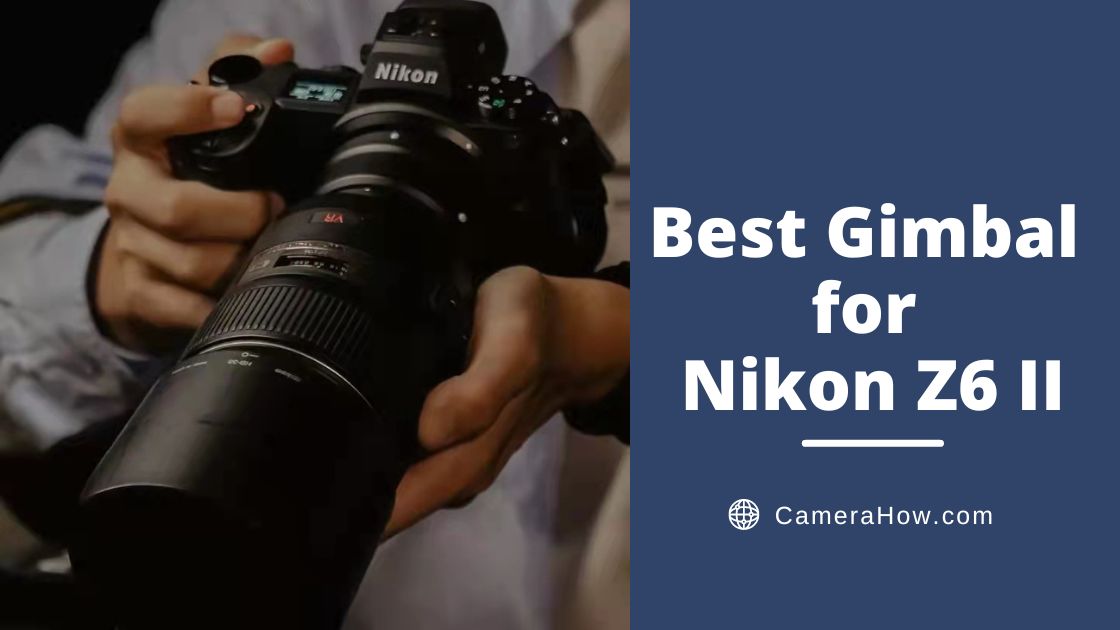
The Nikon Z6 II is a powerful APS-H camera. As an upgraded Nikon Z6, it features a 24.5-megapixel full-frame design for excellent image quality performance.
This camera can quickly meet the needs of professional users. Nikon Z6 II’s video performance is also noteworthy and can handle the video shooting needs of video teams and studios.
However, if you want to use this excellent camera to shoot great video, you need an equally great gimbal.
If you’re new to setup, balancing your gimbal is the first step.
In this article, I’ll shortlist a few gimbals that are perfect for the Z6 II. It will be helpful to you.
All things considered, I would pick the DJI RS 3 as the most suitable gimbal for Nikon Z6 II. Not only does this gimbal have superb stability, but it also has a great weight capacity (3kg). Since Nikon opened up a partnership with DJI early on, the DJI RS series is compatible with Nikon cameras. You can control most of the camera’s settings with control cables through the gimbal.
If you’d like to take a deeper look, scroll down.


When I saw that DJI had released this perfect gimbal in 2022, I was in pain. Not only because my RSC2 has been with me for a long time but also because I was worried about the time it would take to relearn a new gimbal. I’m sure many of you feel the same way I do. The result is – yes, I got the DJI RS 3. And with its excellent performance, it’s now my favorite gimbal.
I’ll share my experience with it from the following points.
Weight&Load
To be honest, it was actually one of the main reasons for my wandering. Overall, the RS 3 is not an upgrade in weight or load over the RSC2. It is still made of solid and lightweight aluminum alloy, weighing 1.3kg. It also has a load capacity of 3kg, basically the same as the RSC2. They can both support the Z6 II/Z7 II plus Z 24-70 mm F2.8 combination, so don’t worry about the load.
But underneath is where the DJI RS3 comes into its own!
Locking Design
DJI RS 3, compared to rsc2, has the most significant improvement in the design of the lock. RSC 2 is the design of the tight twist, which will make the finger very painful. The DJI RS3 has been replaced with a locking design, which only requires a gentle toggle to snap in place and is very solid. And the DJI RSC 2 lock is not stable enough. The latch will naturally fall off in less than an hour and have to re-level. Re-leveling is a complex and time-consuming task! But DJI RS3’s lock now improves this shortcoming.
Autonomous Axis Locks
The DJI RS3 has softened me up with its excellent 3-axis auto-lock feature. I used to have to turn off the camera and then lock the three axes with my hands when I finished a shot to the next place. It was a real pain in the ass to have to unlock it manually again when I arrived. Now only need a button, and the three axes can be automatically locked. And when pressed again, the axis arm is automatically unlocked and enters the working state in two seconds. Very amazing.
Higher Quality Stability
The RS3 algorithm has been upgraded again. With the Titan stabilization algorithm, RS 3 is one of the gimbals that can provide top stability without much explanation. It performs extremely well in many shooting environments, increasing stability by 20% compared to RSC 2.
1.8-Inch OLED Display
1.8inch touchscreen design with a more reasonable menu design. You can quickly adjust the stabilizer’s parameters without connecting the app. I already don’t want to go back to RSC 2 to continue to use the 1-inch black and white display.
Reasonable Button UI
The right side has a new shortcut slider for the three modes, and it is the first time the mode switch can be controlled by a button. That saves me the trouble of opening the gimbal, entering the menu, and then selecting the mode.
Removable Battery Structure
RS 3 changed the battery to a detachable structure, which is more convenient. It is suitable for long periods of travel. If you have more than one battery, then RS 3 can provide longer battery life.
Ronin Image Transfer
The RS 3 is equipped with the same ronin image transfer system as the RSC2. You can use Ronin accessories for more convenient functions, including Smart Follow 3.0 and image transfer. Since the RS 3 has a huge display, you can monitor and adjust various settings directly on the screen.
Other General Functions
In fact, as an updated version of RSC 2, RS 3 technology is already very mature. Of course, it has some more generic functions. These shouldn’t be explained. The double-layer quick-release plate and creative shooting techniques are just fine.
Pros
- High load-bearing capacity (3 kg / 6.6 lbs)
- Instant mode switching
- Fine-tuning knob
- Autonomous axis locks
- 1.8inch full-color touchscreen
Cons
- Some functions need to be used with APP
- Extra handle required for carrying pot mode
- Need time to learn
- Scroll axis fine-tuning can be jerky when loading heavy hosts


The RSC 2 was with me for a long time before I decided to own a DJI RS3. And even now, I really like this old friend. Of course, I won’t let my preferences influence my evaluation and recommendation of the gimbal. But I will say that the DJI RSC2 is also a good choice for the Nikon Z6 II.
Weight&Load
As I described above, the DJI RSC 2 weighs 1.3kg. It has a load capacity of 3kg, which is also suitable for carrying the Z6 II and telephoto lenses. In fact, many brands are making lightweight gimbals in today’s gimbal market. So, 1.3kg is in the heavier range. But when picking a gimbal, you can’t just consider the weight and ignore the solidity and functionality it brings.
Here’s what I think the DJI RSC 2 does better.
Titan Stabilization Algorithm
Photographers who have used the RS2 should know that the DJI Ronin series uses the same stabilization algorithms. This algorithm allows the gimbal to maintain control of the camera in various environments. It has good feedback for some violent shaking. As a result, it can provide top stability in many environments, with 50% higher performance than the RSC generation.
Double Quick-Release Plate
Compared to the previous version, RSC 2 adopts a more convenient and practical double-layer quick-release plate. It is compatible with both Manfrotto and Aka mainstream interface standards. In fact, when I shoot videos, I often change back and forth between the tripod and the gimbal. That’s why I can always use the RSC 2 – quickly switch my camera between the gimbal and the tripod. At the same time, the locking twist of the quick-release plate is designed as a wrench so that you can tighten it manually without a coin or key.
Two-Stage Pressure Button
The RSC2’s recording button is designed with the same two-step pressure structure as the camera shutter. The first press helps focusing, while the second heavy press will turn on the shooting. The half-press force is about 3N, while the heavy press force needs to be doubled. This design does not lead to accidental touches and allows for an excellent press feel. I have developed muscle memory after using the RSC2 buttons and can operate them very skillfully.
Ronin Image Transfer
DJI RSC 2 uses the same ronin map transmission system as RS3. Therefore, it is also beneficial for its ActiveTrack and phone monitoring. But because of the RSC 2’s 1-inch black-and-white display, you need to link to your phone to view the screen.
Of course, there is a better gimbal than RSC 2 for me. And as someone who has used this gimbal for a long time, I’m willing to share some of the things I find inconvenient.
Folding Structure
Many video bloggers or articles will mention the folding design of the RSC 2. Of course, they all tend to give it a very high rating. However, in my experience, the DJI RSC2’s folding design is an interesting but ineffective attempt. So, in actual use, you may use it more in storage mode. Or use the relevant function in case of emergency.
Pros
- Excellent load capacity (3 kg/ 6.6 lbs)
- Double quick-release plate
- Excellent endurance (14 hours)
- Rich shooting effects
Cons
- The RavenEye image transfer function requires additional accessories
- The 1-inch display is not great
- A foldable structure doesn’t always work


Let’s look at another excellent gimbal, the Zhiyun Weebill 3. It’s about the same price point as the DJI RS 3 but with completely different positioning. If the DJI RS3 offers more professional and advanced technology, the Weebill 3 is more about user convenience. It is a mobile mini studio so that you can understand.
Of course, the Zhiyun Weebill 3 can also be used well with the Z6 II.
Weight&Load
Weebill 3 has a very light and portable body. Although the Weebill 3 is a professional camera gimbal, it is only the size of A4 paper. The weight of this gimbal is only 1.13kg, but it has a perfect loading space.
Wrist Rest Structure
Weebill 3 was designed to carry the underslung structure 2.0 in a generation based on the new labor-saving wrist rest. Both to maintain a comfortable shooting at all angles, but also effective apportionment of arm strength. Release the wrist to reduce fatigue. It can reduce physical weight by about 40%.
Stability Algorithm
With the honeycomb stability algorithm, WEEBILL 3 has excellent stability. It can use the three-axis motor to offset the subtle jitter. The lens image is maintained even when following the movement of the subject. Walking fast, moving back and forth, running, or up the stairs can effectively neutralize most of the shaking.
Double Quick-Release Plate
This time, Weebill 3 quick-release plate structure has also been improved. A double-quick release plate can quickly fold or unfold the camera without repeated leveling.
New Features
WEEBILL 3 is built purely for video stabilization, as it has a built-in microphone and light. The fill light provides up to 1000 Lux of professional illumination—adjustable color temperature from 2600K-5400K. Different light sources can be achieved, from daylight to warm light, enabling fast-fill light with minimal kit. The microphone also uses a professional-grade radio microphone, but the size is tiny.
Runtime
Weebill 3 has an effective runtime of over 20 hours, one of the longest I’ve seen in a gimbal. It is also equipped with a fast charging protocol, so you can fully charge it quickly.
Pros
- Wrist rest construction is very labor-saving
- Built-in microphone and fill light
- Super long runtime (21 hours)
- Quick release plate
- Customizable buttons
Cons
- Poor touch screen
- Not so good APP


The next gimbal I’m about to introduce is one you may have seen often in some videos. Yes, the Zhiyun Weebill S. This is a high-quality, affordable gimbal. If you have a limited budget and plan to make videos quickly, I recommend this gimbal.
The Zhiyun Weebill S is also very compatible with the Z6 II, and you can control most of the camera’s functions from the Weebill S using the control cable.
Weight&Load
You could say this gimbal is an oldie, of course, it is. But that doesn’t mean it’s useless. The Weebill S weighs only 0.9kg, making it a very lightweight gimbal. However, it can do things that a 1 kg+ gimbal can do. It can be adapted to a variety of cameras and lenses.
Lightweight Body
In my experience, carrying a heavy gimbal can often be a burden. Without a secondary grip or wrist rest, you’ll have difficulty holding on to it for long periods. The Weebill S, on the other hand, is a perfect weight and has a secondary grip. You can easily use this compact gimbal.
8th Instune Algorithm
The motor strength of the WEEBILL-S is excellent. Compared with its predecessor, its motor torque has increased by 300%. The Weebill S can function in various complex environments and produce smooth and stable shots.
Multifunctional Tripod
The standard package of Weebill S includes a multifunctional portable tripod, an accessory that comes in very handy. You can find the Weebill S using the same screw holes on the bottom and the rear. This way, your tripod can be mounted not only at the bottom but also at the rear as a sub grip.
Tri-Axis Locks & Quick-Release Plates
Tri-axis locks and quick-release plates are not a feature worth mentioning. However, the Weebill S includes them at an affordable price, which I really like. If I had to choose a cost-effective gimbal, the Weebill S would be one of them.
Creative Shooting Techniques
The WEEBILL S has many creative shooting techniques that can be used to add charm to your videos. It has built-in modes such as POV, 360° rotation, and crazy mode, adding motion to your footage.
Endurance
Zhiyun Weebill-S has an endurance of up to 14 hours. Also, it can charge the camera.
Pros
- Small size and light (0.92 kg/ 2.05 lbs)
- Dual grip design saves effort
- Double-quick release plates
- Six creative shooting modes
- Long-lasting battery life (14 hours)
Cons
- Poor display screen
- UI design is not reasonable and can be touched by mistake
- Heat dissipation problem


The next gimbal I want to introduce has a very professional performance and technology, DJI RS 3 Pro. It is one of the devices that stands at the top of the gimbal hierarchy. DJI RS 3 Pro is the best successor of DJI RS 2, but lighter and more convenient.
Weight&Load
DJI RS3 Pro weighs 1.5kg and has a load capacity of 4.5kg. RS 3 Pro uses an extended carbon fiber arm, so you don’t have to worry about a lack of leveling space. Strong load capacity brings more equipment options. Many professional combinations, such as Sony FX6 and Canon C70 with 24-70 mm F2.8 lenses, can be easily equipped.
All-In-One
DJI RS 3 Pro is a powerful gimbal and all-around camera expansion platform. The DJI RS 3 Pro can easily handle a wide range of subjects and scenarios and can be equipped with mainstream DSLRs, mirrorless, and digital cameras. It has significantly upgraded control, stabilization, focus following, and image transmission performance.
Automatic Axis Lock
The RS 3 Pro also features an innovative auto-axis lock design. Press and hold the power button in the off state, and the gimbal will be in working condition in just two seconds. You don’t need to unlock each axis one by one manually. Simply click the power button to go to sleep, and click the power button again to wake up the gimbal and get back to work quickly.
LiDAR Focusing
If you purchase the LiDAR module simultaneously, you can take full advantage of the RS 3 Pro. This module can achieve a more powerful ActiveTrack and laser focusing. You can follow people, buildings, vehicles, etc., very steadily and reliably.
Super Image Transfer
DJI RS 3 Pro uses the latest DJI Transmission technology. It uses the same O3 Pro system as the Ronin 4D and can transmit up to 6 km (without obstruction or signal interference). The adapter backplate can be mounted directly to RS 3 Pro and powered by the gimbal.
Pros
- High load capacity (4.5 kg /10 lbs)
- Instant mode switching
- 1.8″ full-color touchscreen
- Fine-tuning knob
- Professional grade equipment
Cons
- It takes time to learn
- Some features require additional accessories
- Expensive
What Is a Gimbal?
The gimbal is the handheld device that keeps the camera steady.
If you just hold the camera with both hands and shoot video, your images tend to be very shaky. Especially if you do a lot of movement while shooting, then the resulting picture will also shake in the distance. Those shots are unusable, and you will waste a lot of time and power.
So, it is right to get the gimbal in time if you want to shoot an excellent video.
What Do You Need to Consider When Choosing a Gimbal?
Stability
It is the essential feature of a gimbal.
Compatibility
You need to pick a gimbal with a wide range of compatibility. That will support you to keep changing lenses and even cameras.
Load Capacity
The higher the load capacity of the gimbal, the better. But sometimes, load capacity is only one criterion, and many gimbals will add features at the expense of load capacity, so you must be careful.
Self Weight
The weight of the gimbal should also be considered. It means that you can not quickly get fatigued. Of course, the weight of the camera itself should also be considered.
Runtime
As long as you can meet your working hours at a time.
Budget
Pick the best gimbal based on your budget and the features you are interested in. You should only spend money on features that you can use.
Extra Features
Many gimbals have extra features. Choose the ones you are interested in
Does the Z6 II Have IBIS?
Yes. The Z6 II comes with EIS and OIS, which will work well when taking pictures. However, when shooting video, the stabilization is not as effective.
Is the Nikon Z6 II Good for Photography?
Yes, the Z6 II has a perfect setup. It can shoot 4k video, and the frame is pretty good.
What Gimbal Is Best?
Regarding professionalism alone, the DJI RS3 Pro is a very stable and technically sound gimbal. But the best gimbal is only sometimes the best fit. You can pick the best gimbal for your needs and budget.
Conclusion
OK, friends, this article lets you know enough about the suitable gimbal for Nikon Z6 II. This camera is quite good for video. But you also need a suitable gimbal to get the best out of it.
Although there are many gimbals on the market, and they have different functions, picking a gimbal is not tricky. When you are clear about your budget and needs, you must follow this criterion to find one. In the end, you can find a suitable gimbal.