
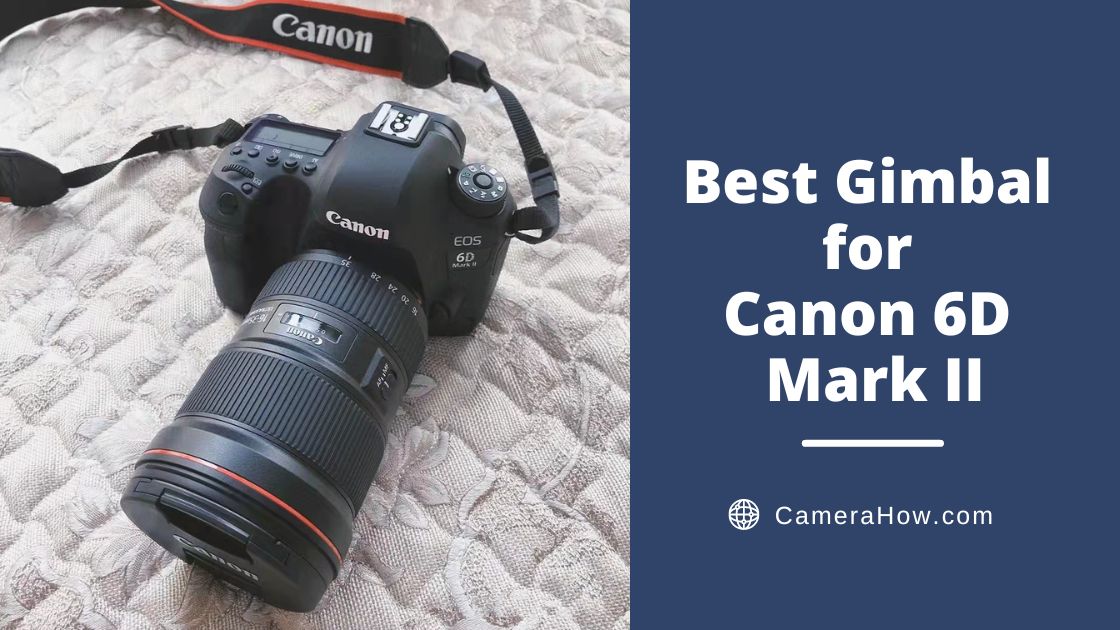
The Canon 6D Mark II is an excellent full-frame DSLR camera. It has 26.2 megapixels and an excellent continuous shooting speed. It also supports 1080p and 60 fps video capability.
You can get a lot of great photos with a quality camera. But if you want consistent and reliable videos, you need an equally good quality gimbal.
In this post, I will filter and introduce the best gimbal for Canon 6D Mark II. I hope it will be helpful to you.
All things considered, I think the DJI RSC2 is the best choice for the Canon 6D Mark II. This gimbal has excellent performance and outstanding load capacity. Most of its structure is made of strong and lightweight aluminum, so it weighs very little. At the same time, it has a deformation structure and can be deformed into different forms to meet different shooting needs. Of course, many of its extra features will be even better.
If you are confused about it, please scroll down.


First, let’s turn our attention to this great gimbal, the DJI RSC 2. That is a great gimbal for a wide range of mainstream DSLRs and mirrorless micros. It provides excellent stability for your images and assists you with various adjustments. And it can be well-compatible with Canon 6D Mark II.
Weight&Load
The body of DJI RSC 2 is made of compact and lightweight aluminum alloy, an excellent material that makes it very strong and secure. The DJI RSC 2 has a maximum load of 3kg, which allows you to choose and change lenses more freely to meet various scenarios and needs.
Titan Stabilization Algorithm
DJI RSC uses a new generation of Titan stabilization algorithm that is compatible with the IBIS of the camera. That gives the RSC 2 excellent anti-shake performance even in the low-frequency range. RSC 2 also supports Super Stabilization mode. When turned on, it can adjust the motor torque to enhance anti-shake performance.
Double Quick-Release Plate
RSC 2 also has a double-layer quick-release plate, which is compatible with two major quick-release plates (Manfrotto/Arca). With this structure, you can quickly fold and unfold the camera and switch it between different devices.
OLED Display Screen
The front of the DJI RSC 2 is a one-inch OLED screen. It’s not as feature-rich as the color screen on the RS2, but it’s acceptable for everyday use. For the gimbal, the most important role of the screen is to display the mode switching and selection function. Users only need to glance at it to know the status of DJI RSC 2.
User-Friendly Buttons
One thing I really like about DJI is that it has done a great job with the details. The recording button on the front is the same as the camera shutter, with a two-stage press structure. The first press is to focus. The second heavy pressure will open the recording. The difference in strength between the two functions feels obvious, so there is little chance of mis-touch.
Foldable Structure
The folding structure of DJI RSC 2 is an exciting design. It allows for six different structures by twisting the joints, although some are not very practical. However, in emergencies, you can fold the RSC 2 to achieve some special shooting instead of just giving up. Of course, in daily use, you may often use its folding structure for storage or carry.
Runtime
The RSC2 supports 18W fast charging and can be fully charged in 2 hours. This gimbal does not support battery replacement, but 14 hours of battery life is enough to cope with daily shooting.
Pros
- Excellent load capacity (3 kg/ 6.6 lbs)
- Double quick-release plate
- Folding allows vertical shooting and jug mode
- Excellent endurance (14 hours)
- Rich shooting effects
Cons
- RavenEye picture transfer function requires additional accessories
- The 1-inch display is not great
- The foldable structure doesn’t always work


Let’s see who’s next on our list of gimbals. That’s right, our old friend, Zhiyun Weebill S.
You’ll almost always see this old boy in different places, and I’m not complaining about it. Quite the contrary, even after several years since its launch, Zhiyun Weebill S still ranks among the best in terms of versatility. With its compact size and affordable price, Weebill S is still active on the photographers’ side.
Weight&Load
One of the things I really like is that the Weebill-S reduces its weight while maintaining stability. Although this gimbal has many structures and parts, it weighs only 900 g. It allows you to fold and use the 6D Mark II very easily. Checking out many photographers, the Weebill S can handle about 2 kg of camera and lens and get the job done.
Lightweight Body
Carrying a bulky gimbal for long shooting sessions is not always appropriate. Compared to gimbals with long grips, the Weebill S is much smaller. At the size of an A4 paper, this gimbal will barely take up much space in your backpack. But even with such a small gimbal, it can maintain good stability when carrying some large cameras and lenses, and carrying the 6D Mark II is no problem.
8th Instune Algorithm
WEEBILL-S was based on a substantial upgrade to the motor. Motor torque increased by 300%. At the same time, its response speed has increased by 50%. That makes the WEEBILL-S improve the load-bearing capacity and, simultaneously, bring performance improvement.
Three-Axis Lock
The Weebill-S has separate locks for each of its three axes. That is a very convenient design, very easy to store and carry. When you have to run around to various scenes in one shot, it can keep the axis arm from wobbling while carrying.
Creative Shooting Techniques
Zhiyun WEEBILL-S supports six shooting modes, which can bring more creativity to the video. POV, 360° rotation, and crazy mode are all excellent features. Meanwhile, Weebill S also has PF, Follow, and Lock modes. You can choose different follow functions according to different requirements.
Runtime
Zhiyun Weebill-S lasts up to 14 hours. At the same time, it can charge the camera.
Pros
- Small size and light (0.92 kg/ 2.05 lbs)
- Dual grip design saves effort
- Double quick-release plates
- Six creative shooting modes
- Long-lasting battery life (14 hours)
Cons
- Poor display screen
- UI design is not reasonable and can be mistouch
- Some shake report when holding heavy lens


In such a diverse gimbal market, how to stand out from the crowd? Zhiyun Weebill 3 gives us an answer. That is – to the best of ability. The Weebill 3 is a highly integrated, all-in-one gimbal. It adds the fill light and microphone into the arm for the first time. Weebill 3 can provide fill light, radio, and stabilization in one body.
Weight&Load
Weebill 3 is designed with lightweight materials, and it weighs 1130g. Zhiyun does not clearly mark the official load capacity of this gimbal. But you will find many review videos about this gimbal, which can carry various mainstream camera and lens combinations.
Structural Changes
Weebill 3 has made many changes compared to its predecessor, including an integrated base, wrist rest, and underslung structure. The main function of these designs is to bring the user the maximum amount of labor-saving.
Humanized Design
The upper part of this gimbal continues the traditional design of Zhiyun, with a perfect selection of angles. The diagonally upward 45° rolling axis allows the axis arm to avoid the camera screen so that your view is not obstructed. The three axes and the quick-release plate have a scale accurate to 0.1cm, which allows you to quickly level and record for the position.
Built-In Light&Mic
The biggest highlight of the Weebill 3 is the built-in fill light and microphone. I really like them very much. According to my experience, I only rarely use some of the highly technical features. Instead, I prefer features that actually provide me with convenience, and the Weebill 3 seems to have hit the spot for me.
The weebill 3’s light is only the size of a coin, but it can emit up to 1000 lumens of light. This little guy also supports adjustment of brightness and temperature, which is very useful in many environments. At the same time, its microphone is located under the fill light. It is only the size of a Type-C connector but is a professional-grade noise-canceling microphone.
Runtime
WEEBILL 3 can be fully charged in 2 hours and has a battery life of up to 21 hours.
Pros
- Wrist rest construction is very labor-saving
- Built-in microphone and fill light
- Super long runtime (21 hours)
- Quick release plate
- Customizable buttons
Cons
- Poor touch screen
- APP is not so good


As a veteran gimbal manufacturer, Feiyu has been one of the pioneers of gimbal products. And they introduced the SCORP C designed for mainstream mirrorless and DSLR cameras. With a lightweight body, low gravity center, and a lift-and-grip integrated design, this gimbal is an excellent tool for single-player use.
If you’re looking for a solid and affordable gimbal, this is a great choice. It’s perfect for use with the Canon 6D Mark II.
Weight&Load
The Feiyu SCORP C uses a one-piece underslung structure and keeps the weight down to about 1200g. I tried it with the 6D Mark II and some regular lenses, and they worked well together and ran smoothly.
Smart Construction
The Feiyu Scorpion has a very distinctive shape, resulting in a low center of gravity. That is very comfortable. Its shape resembles a scorpion, and I think the design inspiration comes from that. This design is brilliant. The bottom grip and the underslung grip can share the weight. That can be better for the user to meet various shooting needs.
Double Grips Structure
The SCORP C’s bottom grip and angled underslung grip are designs I really like. On the one hand, it allows me to be more comfortable when holding. On the other hand, it will enable me to better control the movement of the lens when shooting.
Memory Axis Lock
SCORP C’s three axes are each paired with a memory leveling function. In addition to the scales marked on each axis arm, the Scorpion is also equipped with a memory module. After leveling, push the memory module to the appropriate position. And next time, you can directly balance it by pressing the control position alignment.
Runtime
The SCORP-C runs 12 hours, while a full charge takes only 1.6 hours.
Pros
- High weight capacity (2.5kg / 5.5 lbs)
- quick release plate
- Memory axis lock
- Friendly price
- Long battery life (12 hours)
Cons
- Mis-touch button
- Unstable battery life
- Limited lens support
- Unchangeable zone


DJI’s new generation professional gimbal DJIRS3 has attracted much attention with its release. This gimbal body is lightweight but very solid while carrying a lot of space. Some difficult positions it can steadily manage.
Weight&Load
RS 3 weighs 1.3kg and is made of aluminum. Like the DJI RSC 2, this gimbal has a weight capacity of 3kg so that you can use it with the Canon 6D Mark II and most lenses.
3rd Titan Stabilization Algorithms
DJI RS3 can provide excellent stability to the image. And, when you need to handle difficult sports scenes, you can turn on its Super Stabilization mode. In this mode, the RS3 can twist the motor more quickly and efficiently to stabilize high-speed footage.
Autonomous Axis Locks
The most significant improvement in RS3’s experience is the automatic axis locks. I must say it is quite a practical and technological design. When the power button is pressed, the three axes will be automatically locked, and the axis arms can be automatically stored. And when you press the power button again, it can re-enter the working state within 2 seconds.
When switching scenes, you no longer have to spend time to lock and unlock axes one by one.
Instant Mode Switching
A new mode switching button on DJI RS3 allows you to switch between three modes quickly. That is the first time DJI has turned the following mode switching into a theoretical physical button. You don’t need to open the menu or APP to switch the gimbal’s following mode quickly.
Double Quick-Release Plate
The DJI RS 3 is designed with a double-layer quick-release plate, which allows you to install and level the camera quickly.
Runtime
RS 3 adopts a removable battery design, which is more suitable for continuous outdoor shooting for a long time (two battery relay use). The single battery capacity of 3000mAh has a maximum life of 12 hours; using the 18W charging gimbal takes about 2.5 hours to charge fully.
Pros
- High load-bearing capacity (3 kg / 6.6 lbs)
- Instant mode switching
- Fine-tuning knob
- Autonomous axis locks
- 1.8inch full-color touchscreen
- Wireless image transmitter
Cons
- Some functions need to be used with APP
- Extra handle required for carrying pot mode
- Need time to learn
What Is a Gimbal?
The main purpose of the gimbal is to maintain the stability of the camera.
Usually, when you shoot with a camera in your hand, there is a lot of unbearable shaking in the picture. A large part of this shake comes from you. When you’re running the camera, even if you don’t notice it, you’re actually making some small movements all the time.
The gimbal acts as a spring between you and the camera directly, eliminating the effects of movement on the camera at all times.
What Do You Need to Consider When Choosing a Gimbal?
Stability
The most important feature of a gimbal is stability. A good quality gimbal will cut most of the shake in many sports scenarios.
Compatibility
When selecting a gimbal, try to pick something more compatible.
Load
The higher the load capacity of the gimbal, the better. That means you don’t have to worry about camera and lens weight and are freer to unleash your creativity.
Self-Weight
The weight of the gimbal is also something that should be considered. But sometimes, there is a difference between the actual weight of the gimbal and the camera and the weight you feel. If the camera is too heavy but the gimbal is light, you will also feel very tired.
Endurance
As long as you can meet your working hours at a time.
Budget
Pick the best gimbal based on your budget and the features you are interested in. You shouldn’t spend money on features you can’t use.
Extra Features
Many gimbals have extra features. Choose the ones you are interested in
Is the Canon 6D Mark II Good for Vlogging?
Honestly, if you’re considering buying a camera and starting a vlog, I’d recommend a mirrorless micro SD camera. But if you have a 6D Mark II in your hands, then it’s a good choice for vlogging. After all, it is also a very high-quality DSLR camera, and its image quality and color are excellent.
Does Canon 6D Mark II Have Image Stabilization?
No. The 6D Mark II does not have image stabilization.
The 6D Mark II does not have image stabilization. If you try to shoot video with this camera, you should choose a gimbal to go with it.
Conclusion
Well, friends, I’m sure you have your idea of what gimbal is suitable for the 6D Mark II after this article.
Although there are many gimbals on the market, it’s not difficult to pick the right one for you.
Remember, you don’t need to spend extra on features you may not use. The best gimbal for you must be the one that best meets your needs and is within your budget.