
Usually, no. Many DSLR optical viewfinders do not show the entire image that the camera will record. Instead, they show a percentage of the frame, often around 95% to 98% on entry-level and mid-range models. Some higher-end DSLRs offer 100% viewfinder coverage, which means what you see through the viewfinder matches the final photo edge to edge.
This matters because small things near the frame edge can appear in the final image even if you did not notice them while composing. If you have ever taken a photo and later spotted a distracting sign, branch, or elbow at the edge, viewfinder coverage may be part of the reason. The key idea is simple: your DSLR viewfinder may be a close preview, not a perfect one.
Quick Answer
A DSLR viewfinder does not always show the full picture. The important spec is called viewfinder coverage. If a camera has 100% coverage, the optical viewfinder shows the entire frame the sensor will capture. If it has 95% coverage, the final photo includes a little more around the edges than you saw while shooting.
For beginners, the practical takeaway is this: do not assume the viewfinder is exact unless your camera says 100% coverage.
That difference sounds small, but it can affect real photos. Imagine you frame a portrait tightly and everything looks clean in the viewfinder. Later, on the LCD or computer, you notice a bright door frame at the edge. The camera did record more than you saw.
Here is a quick guide:
| Viewfinder coverage | What it means in practice |
|---|---|
| 95% | Final image includes a bit extra around the edges |
| 97%–98% | Very close, but still not fully exact |
| 100% | What you see is the full captured frame |
So, does your DSLR viewfinder give the full picture? Only if it has 100% coverage. Otherwise, it gives you a slightly cropped preview for composition.
How to Think About This Topic
The easiest way to understand this is to separate what your eye sees from what the sensor records.
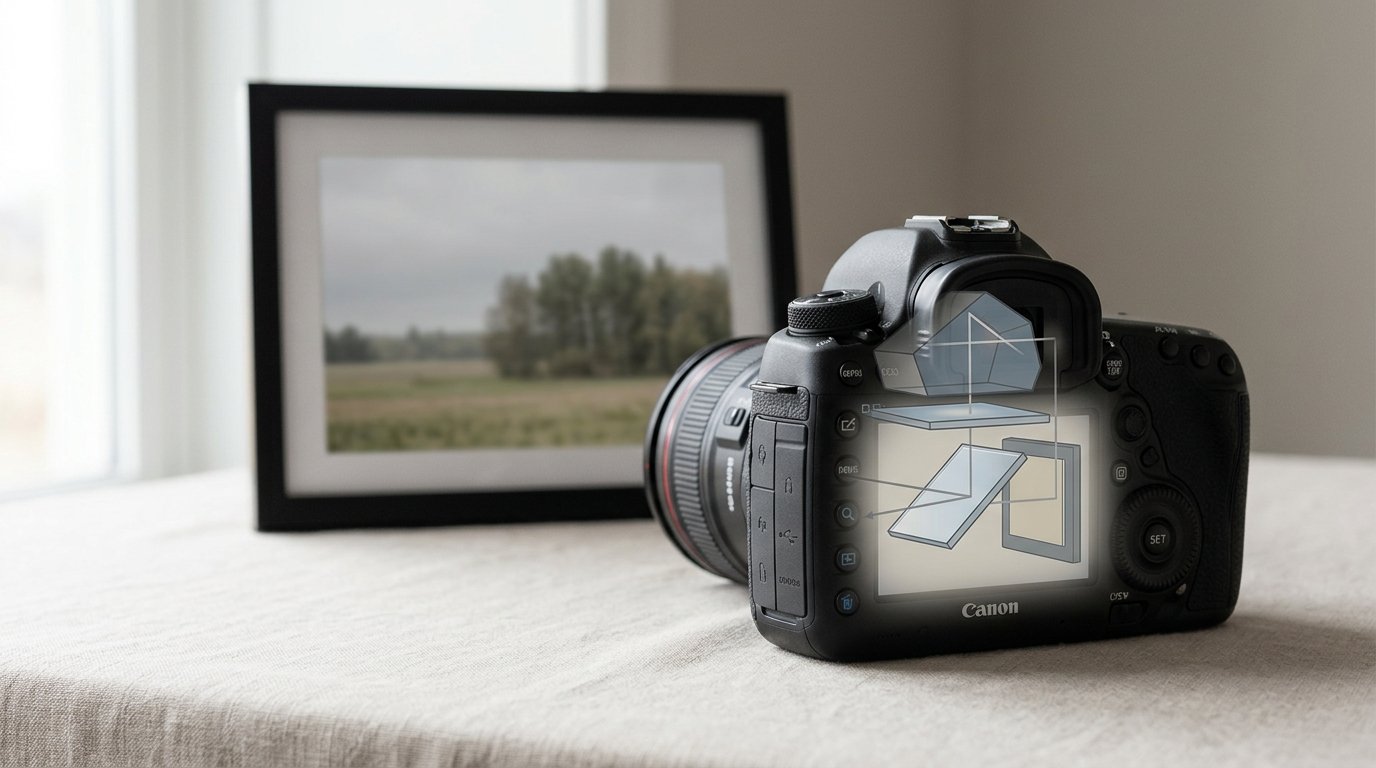
When you look through a DSLR’s optical viewfinder, you are seeing a viewing system made of a mirror, focusing screen, and prism. That system is designed to give you a clear framing preview, but on many cameras it does not show every last edge that the sensor will capture. So the viewfinder is a framing guide, not always a perfect border.
A good mental model is this: imagine drawing a box inside a slightly larger box. The inner box is what you see in the viewfinder. The outer box is what ends up in the photo. With 95% coverage, the difference is small, but it is still there.
This is why the answer to the keyword question matters. People asking whether a DSLR viewfinder shows the full picture usually want to know one of three things:
- Can I trust what I see when composing?
Mostly yes, but not perfectly on many DSLRs.
- Why do extra things appear at the edges later?
Because the camera captured slightly more than the viewfinder showed.
- Does this mean something is wrong with my camera?
Usually no. It is often just how that model is designed.
It also helps to separate coverage from other viewfinder specs. A bigger or brighter viewfinder can feel nicer to use, but that does not automatically mean it shows 100% of the frame. A camera can have a pleasant viewfinder and still show only 95% coverage.
In practical terms, coverage mainly affects framing precision. It does not change exposure, sharpness, or color by itself. It only changes how accurately the optical finder represents the final borders of your image.
Practical Guidance

If you want to work around less-than-full coverage, the easiest habit is to compose with a little breathing room. Leave a small margin around your subject, especially if edge distractions would ruin the image. This is useful for portraits, street shots, and product photos where clean framing matters.
For example, if you are photographing a person against a simple background, do not place the frame edge so tightly that a tiny difference could cut awkwardly into hair, hands, or clothing. Give yourself a bit of space, then crop later if needed.
Here are the most useful ways to handle it:
Check Your Camera’s Specs
Look up your DSLR model and find the viewfinder coverage specification. If it says 95%, 96%, or 98%, your optical finder is not showing the full frame. If it says 100%, it is.
This is the fastest way to know what to expect rather than guessing from experience.
Use Live View When Exact Framing Matters
On most DSLRs, Live View shows the image from the sensor on the rear screen, so it is typically more accurate for final framing than the optical viewfinder. If you are shooting architecture, flat lays, tripod work, or anything with important edges, Live View can help.
A simple example: if you are photographing a document or artwork and need the borders placed precisely, Live View is usually the safer choice.
Review the Edges After Key Shots
When the composition matters, zoom in on playback and check the frame edges. This is a quick way to catch distractions before you leave the scene. It is especially helpful for travel photos, group shots, and event work where you may not get a second chance.
Understand When It Matters Most
Less-than-100% coverage is most noticeable when you:
- frame tightly
- care about clean borders
- shoot subjects near the edge
- plan to use the full frame without cropping
It matters less when you:
- shoot loosely and crop later
- photograph fast action
- post for social media where slight cropping is common
Do Not Confuse It with Image Quality
If your DSLR has 95% coverage, that does not mean it takes worse photos. It just means the optical viewfinder is slightly less exact for composition. Many excellent DSLRs work this way. The sensor can still produce sharp, detailed, high-quality images.
If You Are Buying a Dslr
If precise framing matters to you, 100% viewfinder coverage is a worthwhile feature to look for. It is especially useful if you shoot landscapes, architecture, studio work, or any subject where edges matter. For casual photography, though, 95% coverage is often completely manageable once you know about it.
The big beginner lesson is simple: learn whether your viewfinder is exact, then adjust your framing habits to match. Once you know that, the surprise at the edges mostly goes away.
FAQ
Do All Dslrs Have 100% Viewfinder Coverage?
No. Many entry-level and mid-range DSLRs show about 95% to 98% of the final frame. Full 100% coverage is more common on higher-end models. You need to check your camera’s specifications to know for sure.
How Can I Tell If My Dslr Viewfinder Shows the Full Frame?
The most reliable method is to look up your model’s viewfinder coverage spec. You can also test it by photographing a carefully framed scene, then comparing the final image to what you saw through the optical viewfinder.
Is Live View More Accurate Than the Optical Viewfinder?
Usually yes. Live View displays the image coming from the sensor, so it normally reflects the final frame more accurately. For precise edge placement, product shots, or tripod work, Live View is often the better choice.
What Is the Difference Between Viewfinder Coverage and Magnification?
Coverage tells you how much of the final frame the viewfinder shows. Magnification tells you how large the viewfinder image appears to your eye. A viewfinder can look big and clear but still fail to show 100% of the frame.
Does Less-than-100% Coverage Affect Image Quality?
No. It affects framing accuracy, not the actual quality of the recorded image. Your photo can still be sharp, well exposed, and detailed. The main issue is that the final image may include a little more around the edges than expected.